Changelog

Follow new updates and improvements to Tokscript.

New TokScript Chrome Extension Is Live (And It Just Made Every Other TikTok Tool Obsolete)
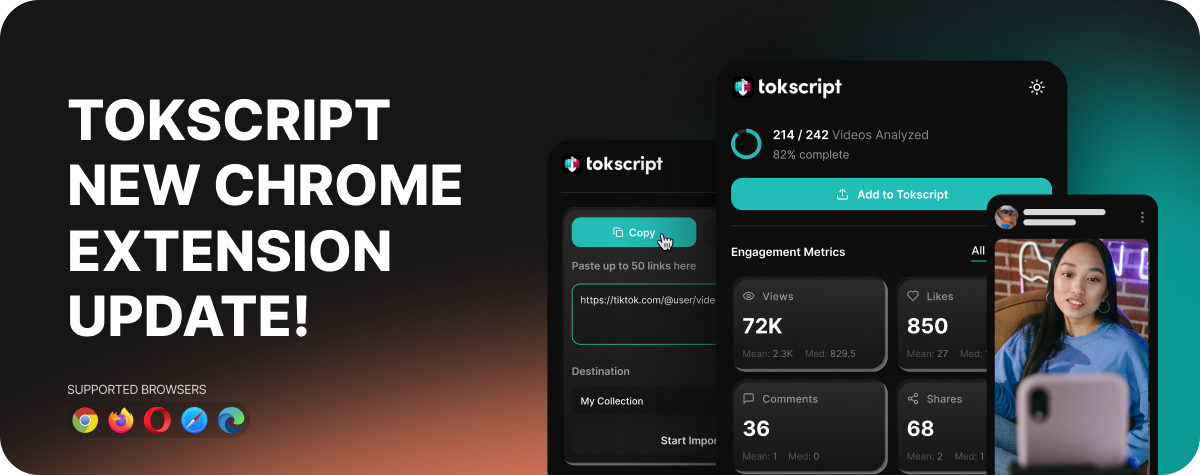
We just shipped a complete rebuild of the TokScript Chrome extension. It turns every TikTok session into a research session, automatically. No tab switching. No pasting usernames into other websites. No waiting on slow tools. No rate limits.

Install it once and TikTok will never look the same again. Here's what it does.

Click here to install the Chrome Extension


Real-Time Analytics on Any Creator Profile

Visit any TikTok creator's profile and the TokScript side panel automatically pops out on the right side of your screen. Scroll like you normally would. As you scroll, TokScript quietly captures every video TikTok sends to your browser and analyzes it in real time.

Once you're done scrolling, you instantly see total views, likes, comments, shares, bookmarks, and engagement rate across the entire profile. You also get a long vs short video breakdown, the most common video durations on that profile, daily posting frequency, and a full year posting heatmap showing exactly when they post and how consistent they are.

This is the data TikTok doesn't show you about anyone but yourself. Now it's one scroll away.


1-Click Transcript Copy on Any Video

See a video you love? Click the Transcript button and you have two options. Copy the full transcript instantly to paste into Claude, ChatGPT, Notion, or anywhere you work. Or download it as a file. Timestamped, formatted, and ready to use.

No more typing out videos manually. No more waiting on slow transcription services.


Bulk Link Import (From Any Website)

Click the pinned TokScript icon and you'll see a popup where you can paste up to 50 TikTok video links from anywhere on the internet. Slack messages, group chats, Twitter threads, blog posts, anywhere. Drop them in, pick a folder to organize them, hit Start Import, and they fly straight to your TokScript dashboard ready to action later.

Perfect for the pile of viral videos you've been meaning to analyze but never had a clean way to collect.


Add Any Profile to Your Dashboard With One Click

After you've scrolled through a creator's profile, hit Add to TokScript and every single video you scrolled flies straight into your TokScript dashboard. No re-scraping. No waiting. No data loss.

Once it's in your dashboard you can sort by engagement, filter by date range, and arrange the data however works best for you. Find the top performers, pick the videos that matter, and pull every transcript, video file, cover image, and caption in one go. Bulk export every transcript into one clean file in four AI-ready formats, then drag and drop it straight into Claude or ChatGPT to build your content strategy in minutes.


Keyword & Search Analytics

Search any keyword on TikTok and instantly see what's actually happening in that niche. Total videos, unique creator count, top creators ranked by appearance, the follower size of creators dominating the keyword (under 1K all the way up to 500K+), the real engagement range, how fresh the top results are, and the dominant video length.

You also get TikTok's autocomplete suggestions automatically captured as you type, organized by seed keyword. Your personal keyword research database, built while you work.


A Full Dashboard of Everything You've Collected

Click the TokScript icon to open the full extension dashboard. Five tabs covering everything you've researched: an overview with at-a-glance stats and your full activity feed, every keyword you've searched, every autocomplete suggestion captured, every For You Page batch with thumbnails, and every creator profile you've visited with their stats and content categories.

Every TikTok session becomes a research session. Every creator profile becomes competitive intel.


Privacy First

All data is stored locally in your browser. TokScript only reads data from TikTok responses that are already being sent to your browser as you scroll normally. Nothing leaves your browser without your explicit action. You can clear everything with one click anytime.


One Account. Everywhere You Work.

The Chrome extension is just one of five ways to use TokScript. Everything you capture in the extension syncs across all of them:

  • Chrome Extension (this one)

  • Web Dashboard

  • Desktop App for Mac and Windows

  • Mobile App for iPhone and Android

  • MCP Connector for Claude, ChatGPT, Claude Code, Cowork, Codex, and soon Manus

Capture on your laptop. Review on your phone. Action through Claude. Your research follows you everywhere.


Install It Now

Thirty seconds from now you'll have your first creator report, your first transcript, and your first keyword research dataset. Or you'll still be paying $99 a month for an inferior tool that makes you leave TikTok.

Click here to install the Chrome Extension and visit any TikTok profile to see it work.

Questions? Reach out in support.
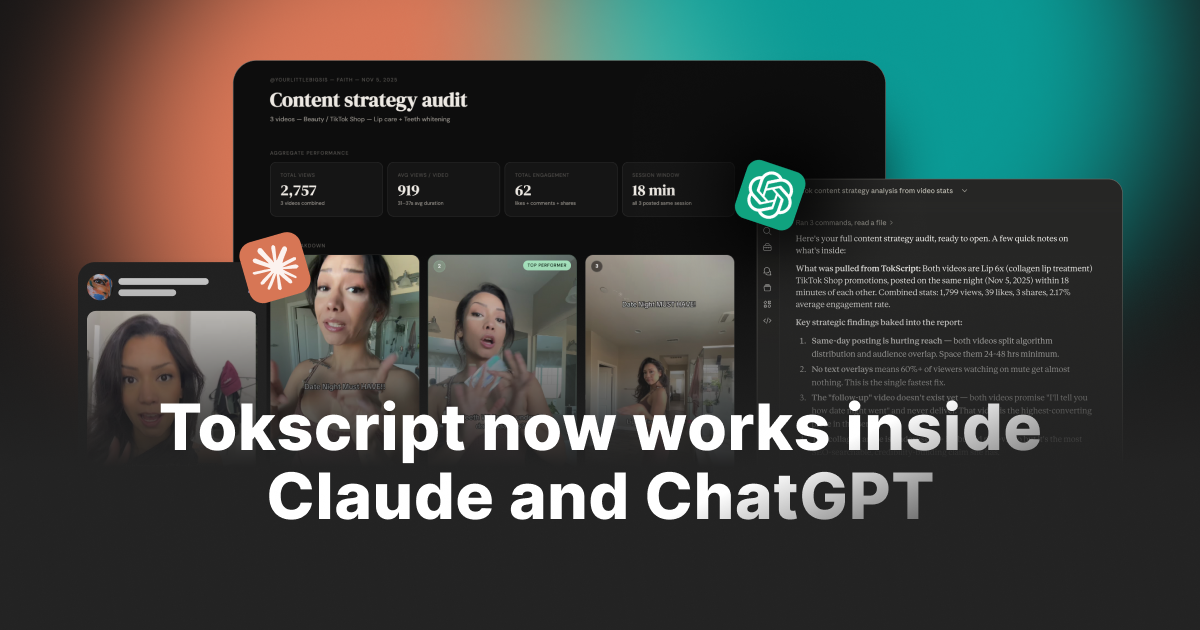
TokScript Now Works Directly Inside Claude and ChatGPT

Stop copying and pasting between TokScript and your AI. You've done it long enough and we’re tired of it.

Grab a transcript here, paste it over there, switch tabs, lose context, start over. That whole routine just ended.

Now you can drop a link straight into Claude or ChatGPT and get the transcript, engagement stats, video download, creator data, and your full saved library back in seconds. All within the chat!

Ask follow-up questions. Analyze trends. Bulk process 50 videos. All without leaving the conversation you're already in.

If you've been wishing your AI could just pull your TokScript data for you, this is exactly that. It's live right now and free to start.

Try It Now


What You Can Do

Here's what works right now through the connector:

Transcribe any video from chat:
Paste a TikTok, Instagram, or YouTube link into Claude or ChatGPT and get the full transcript, engagement stats, and metadata back instantly. Same quality as the website. Same speed.

Bulk transcribe multiple videos at once:
Drop 5, 10, or 50 links into a single message and let the AI process them all. No need to scan one by one. Results come back organized and ready to analyze.

Download videos and cover images:
Get HD video files (TikTok and Instagram) and cover images (TikTok, Instagram, and YouTube) delivered directly through your chat. No watermarks.

Search and access your entire library: Every video you've ever scanned on TokScript is accessible through the AI. Search by keyword, browse folders, pull up old transcripts. Your library is fully synced.

Import TikTok collections and playlists:
Give the AI a collection link and it imports the entire thing into your TokScript account. Up to 3,000 videos per collection.

Look up TikTok creator profiles:
Pull follower counts, bio info, engagement metrics, and recent content for any TikTok creator. Useful for competitor research and influencer outreach.

Analyze and compare content:
This is where the AI really shines. Once it has your data, ask it to find patterns, compare creators, identify what's working, suggest hooks, rewrite scripts, or generate reports. The AI does the thinking on top of your TokScript data.


How to Connect TokScript to Claude

Watch the video below to see the full setup, then follow the simplified steps underneath.

Step 1: Open Claude and go to Settings.

Step 2: Find the "Integrations" or "MCP Connectors" section.

Step 3: Search for "TokScript" or add the MCP endpoint manually: https://api.tokscript.com/mcp

Step 4: Click Connect. You'll be redirected to TokScript's login page.

Step 5: Log in with your TokScript account (email or Google sign-in).

Step 6: Authorize the connection. You'll be sent back to Claude automatically.

Step 7: Start using it. Type something like "Transcribe this TikTok: [paste link]" and TokScript handles the rest.

The entire process takes under 60 seconds. If you run into issues, check out our help article: How to Connect TokScript to Claude


How to Connect TokScript to ChatGPT

Watch the video below to see the full setup, then follow the simplified steps underneath.

Step 1: Open ChatGPT and start a new conversation.

Step 2: Click the plug/tools icon in the message bar to open the MCP tools panel.

Step 3: Search for "TokScript" or add the MCP endpoint manually: https://api.tokscript.com/mcp

Step 4: Click Connect. You'll be redirected to TokScript's login page.

Step 5: Log in with your TokScript account (email or Google sign-in).

Step 6: Authorize the connection. You'll be sent back to ChatGPT automatically.

Step 7: Start using it. Ask ChatGPT to transcribe a video, pull your library, or download content and it will use TokScript in the background.

Setup takes under 60 seconds. If you run into issues, check out our help article: How to Connect TokScript to ChatGPT


Why This Matters

Think about what this actually changes in your workflow.

You're researching viral content for a client. Before, you'd scan 20 videos on TokScript, copy the transcripts, paste them into Claude, and ask for analysis. Now you just paste the links into Claude and say "transcribe all of these and tell me which hooks are working best." One message. Done.

You're building a content calendar. You tell ChatGPT to pull your last 50 saved transcripts from your TokScript library, identify the top-performing formats, and draft a 30-day plan based on what's actually working. It does all of it without you opening a single tab.

You're running an agency. Your team needs transcripts, stats, and competitor breakdowns across multiple clients. Instead of training everyone on the TokScript dashboard, they just ask the AI. The connector handles everything behind the scenes.

You're repurposing a viral video. You find a TikTok that's blowing up. You paste the link, get the transcript, and immediately ask the AI to rewrite it for your niche, adapt the hook for YouTube Shorts, and draft three variations for Instagram Reels. All in one conversation.

This is not just a convenience feature. It fundamentally changes how fast you can move from research to action.


What You Need to Know

Works on Free and paid plans. Free users get 5 transcript extractions per day through the connector (same as the website). Pro and Premium users get unlimited access to everything, including bulk transcription, video downloads, and collection imports.

Same account, same data. The connector uses your existing TokScript account. Your library, your folders, your usage limits are all shared between the website, the Chrome extension, and the AI connector. Nothing is separate.

Your data stays secure. The connector uses OAuth authentication. Claude and ChatGPT never see your password or login credentials. They receive a secure access token that lets them make requests on your behalf. All data is encrypted in transit and at rest. You can disconnect at any time.

Works with Claude Desktop, Claude.ai, and ChatGPT. Anywhere MCP connectors are supported, TokScript works.


What's Next

This is our first release of the AI connector, and we are actively building on it. Here's what's coming:

We're expanding platform support as more AI tools adopt MCP. We're also adding more tools to the connector based on what you ask for. If there's something you want to do through the AI that isn't supported yet, let us know.


We Want to Hear From You

This is brand new and we want to make it great. If you run into any bugs, have suggestions for how it could work better, or just want to share your experience with it, please let us know. Your feedback directly shapes what we build next.

Drop a comment below or email us at support@tokscript.com and we'll be happy to help. We have tons of new updates and changes coming every week.

P.S. Need help getting started? We built a full help center with 23 articles covering everything from setup to troubleshooting. Check it out here: TokScript MCP Help Center

New

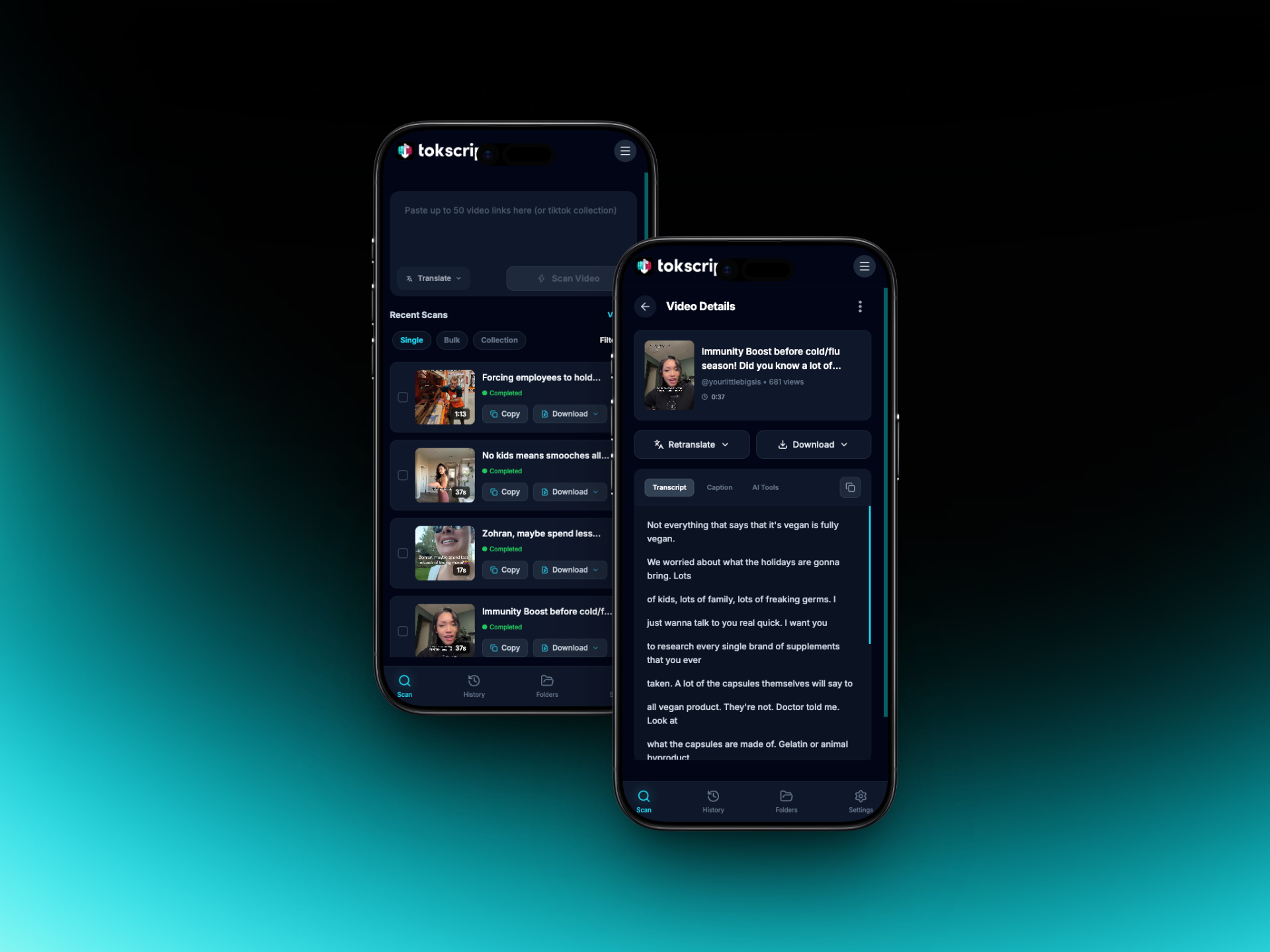
NEW! Mobile Dashboard has been Redesigned!!

TokScript on your phone just got a major upgrade.

We rebuilt the mobile dashboard from the ground up. New layout, new navigation, faster workflows, and a design that actually feels like a mobile app instead of a shrunken desktop site. If you've been using TokScript on your phone (and over half of you are), this is going to feel like a completely different product.

What's New

Watch the video down below to get a full tutorial.

Faster scanning workflow:
Paste a link, hit scan, get your transcript. The whole flow is tighter and more responsive. No more fighting with zoomed-in input fields or buttons that don't respond.

Real navigation:
A proper bottom nav bar (Home, Scan, Profile) that works the way you'd expect from any app. Tap scan from anywhere and you're right back to work.

Bulk and collections on mobile:
Process bulk links and TikTok collections directly from your phone. See progress, download transcripts, copy text, all without needing to switch to desktop.

Folders:
Create folders, organize your videos, move things around. Your library doesn't have to be one giant list anymore.

AI retranslation:
Translate any transcript into 20+ languages right from the video detail page. Works on new scans and anything already in your library.

Downloads that actually work:
Transcript files, HD video, cover images. Download options are right there on the video detail page and inside bulk/collection views.

Profile and account management:
Update your profile picture, change your password, manage your subscription, all from mobile. Everything syncs with desktop automatically.


Why We Rebuilt It

54% of our traffic comes from mobile. The old mobile experience was a responsive version of the desktop site, and it showed. Things that worked fine on a laptop felt clunky on a phone. Input fields would zoom in and get stuck. Buttons were too small. Navigation was confusing.

We didn't want to keep patching that. We wanted something that felt native to mobile from the start. This is that.


We Want to Hear From You

This is a big update and we want to make sure it works well for everyone. If you notice anything off, have ideas for how it could be better, or just want to let us know what you think, please reach out.

Comment below or email us at support@tokscript.com. We have tons of new updates and changes coming every week.

Improved

Earlier updates